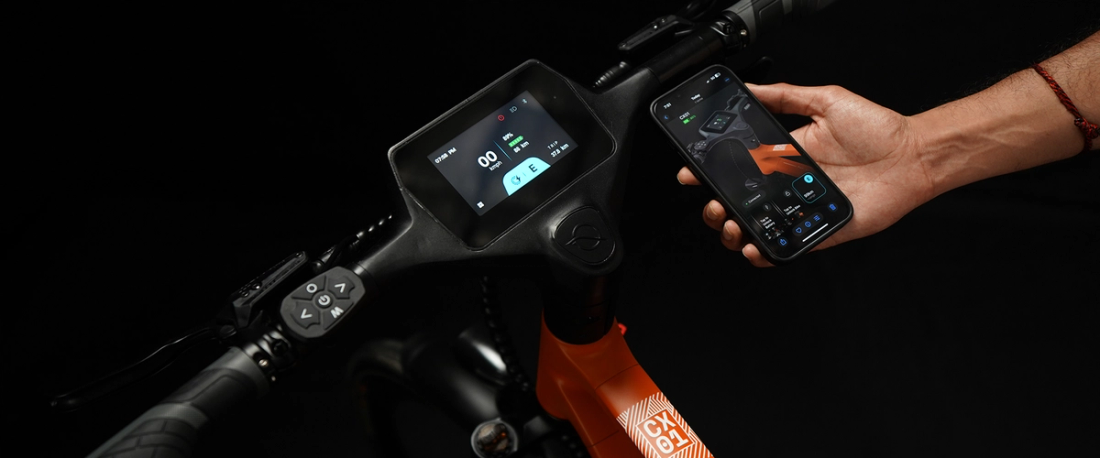
Pair your CX01 or CX02 with the NINE09 Connect app over Bluetooth,allow location access, search for where you're going and tap Start Navigation. Turn-by-turn directions, a live arrival time and a battery-aware range estimate then appear on the4.3-inch (about 11 cm) handlebar display. Your phone stays safely in your pocket.
Commutes rarely stay the same for long. A new office, a closed street, a tram strike, ameeting on the other side of town. Stopping at every junction to check your phone is slow,and in many European countries holding a phone while cycling can also earn you a fine.
NINE09 navigation puts the directions on the bike itself. Your hands stay on the handlebarand your eyes stay on the road.
In this guide you'll learn how to set it up, how to find a route you actually enjoy riding, andhow to make navigation part of your everyday routine. Haven't paired your bike yet? start with our NINE09 Connect App guide, which covers the full first-time setup.
What Does the NINE09 Navigation Feature Do?
NINE09 navigation is two-wheel routing that you plan in the NINE09 Connect app andfollow on your eBike's 4.3-inch touchscreen. The app works out the route on your phone,then sends each instruction to the handlebar display using Bluetooth Low Energy (BLE).
| Feature | What you see | Why it helps on your commute |
| Turn-by-turndirections | Your next turn on thehandlebar display | No phone in your hand, fewer missedjunctions |
| Two-wheel routing | A route made for cycling, notdriving | Cycle paths and bike-friendly streetswhere map data includes them |
| Live arrival time | An ETA that updates as youride | Know if you'll catch the train or makethe meeting |
| Battery-awarerange | Estimated range for the trip | Check you have enough chargebefore you leave |
| Re-centre andheading | The map lines up with yourdirection | Get back on track quickly after astop |
| Destination search | Search any address in theapp | Set the office, station or bakery inseconds |
The display is rated IPX5 for water resistance, so a typical European drizzle on the way towork is no reason to switch it off. You can watch the full flow in the live demo on the NINE09 Connect page.
What You Need Before Your First Navigated Ride
Navigation on a NINE09 eBike depends on your phone and your bike working together. Check these five things first:
• A NINE09 CX01 or CX02: Navigation Assistance comes as standard on both models.
• The NINE09 Connect app: It's free on the iPhone on the App Store or for Android on Google Play.
• Bluetooth switched on: The app and the bike talk over Bluetooth Low Energy.
• Location permission: The app needs your phone's location to plan and follow yourroute. You stay in control and can change this any time in your phone settings.
• Up-to-date software: Install any app or over-the-air (OTA) firmware updates beforeyou rely on navigation for work.
How to Set Up NINE09 Navigation in 6 Steps
Pair your eBike: Switch the bike on, keep your phone close and follow the pairing steps in NINE09 Connect.
Allow location access: Accept the location permission the app asks for.
Search your destination: Type in your office, station or any other stop.
Check the route and ETA: Look at the suggested two-wheel route, the arrival time and the battery-aware range estimate.
Tap Start Navigation: Directions move to the handlebar display. Put your phone away.
Ride and follow the prompts: Glance at the display for each turn. If you stop or leavethe route, tap re-centre.
Tip: Save the places you visit most, like home, work and the station. Fewer taps means lesstime waiting on the pavement before you set off.
How to Plan a Smarter Daily Commute Route
Think of your first week as a test run. The shortest line on the map isn't always the routeyou'll want to ride every morning at rush hour.
Try the route before it matters
Ride your new commute on a weekend or a quiet evening first. You'll spot the trickyjunctions, see where cycle paths start and stop, and find quieter side streets you mightprefer. Look out for tram tracks and cobblestones too, which are common in manyEuropean city centres.
Compare two or three options
Ride the suggested route, then try an alternative for a few days. NINE09 offers bike-friendly routes with dedicated cycle lanes where available, but coverage depends on themap data in your area. Your own feel for traffic, road surfaces and crossings matters justas much as the map.
Let Ride History help you decide
NINE09 Connect saves the distance, time and average speed of every ride. After a week,compare your routes side by side and keep the one that's quickest, calmest or kindest toyour battery. The best commute is the one you're happy to ride again tomorrow.
How to Use eBike Turn by Turn Navigation Safely
The best directions are the ones you hardly have to think about. These simple habits keepyour attention where it belongs:
- **Set your route before you move:**Never type a destination while riding.
- **Glance, don't stare:**Read the next instruction at a red light or on a clear stretch, thenlook back at the road.
- **Stop to change plans:**Pull over somewhere safe before adding a stop or choosing anew destination.
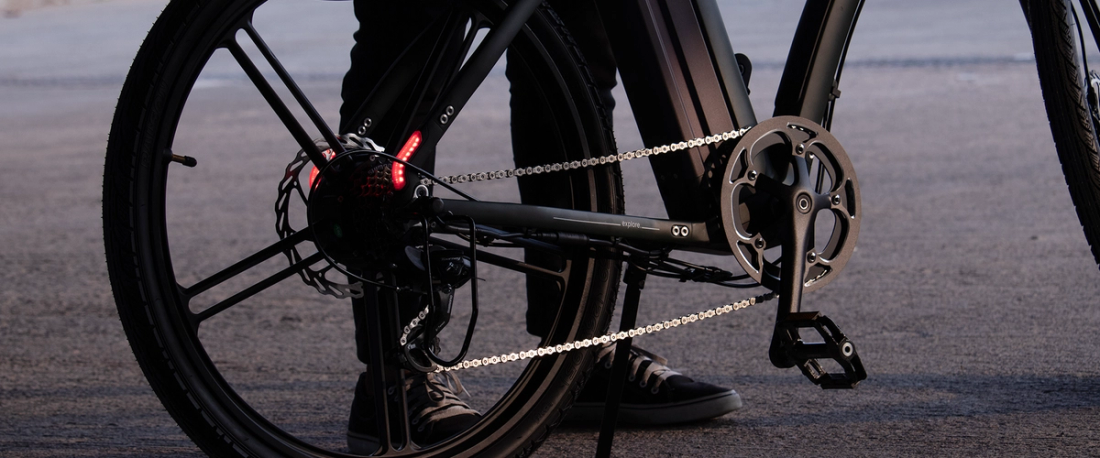
- **Signal your turns:**The CX01 and CX02 rear light unit includes turn indicators, sodrivers behind you can see where you're heading. A clear hand signal is still a goodhabit.
- **Keep calls short:**Incoming calls appear on the same display. Decline, or pull over foranything longer than a quick reply.
- **Know your local rules:**Traffic rules differ across Europe. In countries such as theNetherlands and Germany, holding a phone while cycling is not allowed, which is onemore reason to let the handlebar display do the work.
The NINE09 CX01 and CX02 assist up to 25 km/h, in line with EU pedelec rules. That pacegives you time to read a short prompt, but your judgement of traffic always comes first.Curious how connected features are changing city riding? read how AI electric bikes are reshaping urban commuting.
Everyday Commutes Where Navigation Helps Most
| Situation | How NINE09 navigation helps | Practical tip |
| Starting a new job | Turn-by-turn guidance on aroute you don't know yet | Do a test ride before your firstday |
| Riding to the train,metro or tram | Live arrival time shows if you'llmake your connection | Allow a few extra minutes topark at the station bike rack |
| Roadworks or aclosed street | Re-centre and follow theupdated directions | Stop somewhere safe beforeyou reroute |
| Errands after work | Search any stop and add aquick detour | Check the range estimatebefore the extra leg |
| Meetings across thecity | Ride straight to an unfamiliaraddress | Find the nearest secure bikeparking in advance |
Once you arrive, lock your bike properly. Our guide to GPS tracking and eBike anti-theft protection explains how Find My eBike, motion alerts and a good physical lock work together.
Battery, Range and the Ride Home
The battery-aware range estimate answers one simple question: can I get there and backtoday? Check it before you leave in the morning, and again before you head home.
Treat the number as a helpful guide, not a promise. Real-world range depends on rider andluggage weight, hills, wind, temperature, tyre pressure, assist mode (Eco, Drive, Sports orWalk) and how you ride. A headwind on the way home can use noticeably more chargethan the morning ride, and batteries also give a little less range on cold winter days.
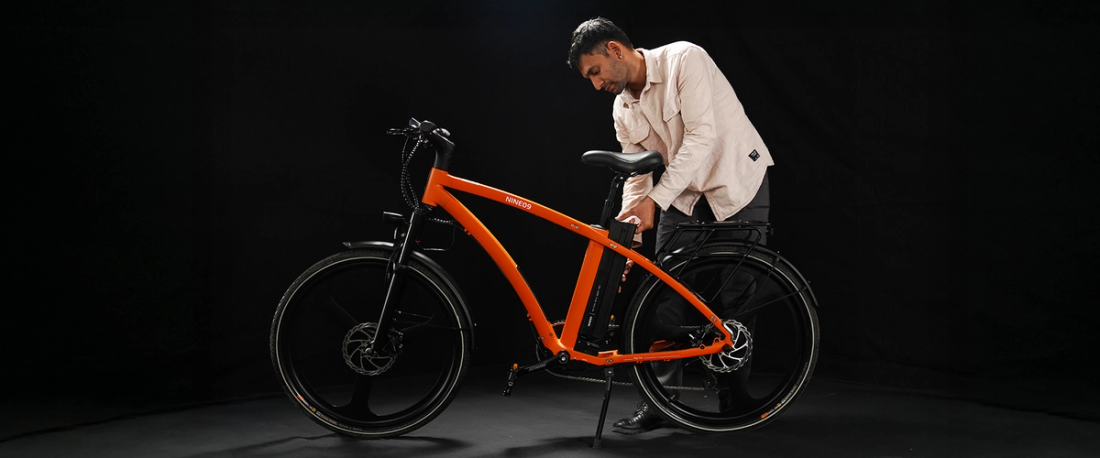
The CX01 and CX02 use a 374 Wh swappable battery with a Smart BMS. If the estimatelooks tight, use Remote Battery Unlock in the app, take the battery inside and charge it atyour desk. Want to know what drains a battery faster? read how far an electric bike can really go and our electric bike battery guide.
Getting the Most From NINE09 Navigation
A few simple habits keep NINE09 navigation accurate and reliable on every commute:
- Keep your phone connected: NINE09 Connect plans routes using your phone'slocation, so leave Bluetooth and location access on for a steady link to your eBike.
- Get to know your local routes: Cycle lane coverage depends on map data in yourarea. A quick test ride helps you pick the route that suits you.
- Trust your road sense: Navigation shows the way; your eyes read the road. Blockedcycle lanes, delivery vans and busy crossings are always your call.
- Stay up to date: NINE09 regularly improves features through app and OTA updates,so keep both current.
Which NINE09 eBike Is Right for a Navigated Commute?
Good news: both models give you exactly the same navigation experience. The CX01 andCX02 share the 4.3-inch IPX5 touchscreen, the NINE09 Connect app, two-wheel routingand the 374 Wh swappable battery. The real choice is the frame.
• NINE09 CX01 Step Over eBike: a great fit if you like classic bike geometry and don'tmind swinging a leg over the frame.
• NINE09 CX02 Step Through eBike: ideal if you want easy on and off, which helps onstop-start city routes with lots of traffic lights and crossings. It's also easier ineveryday work clothes.
Still deciding? Our comparison of step-through vs step-over eBikes walks through comfort, accessibility and everyday use.
Make Your Commute a Route You Know by Heart
NINE09 navigation works best as part of your routine, not just a one-off. Pair the app, testyour route once, check your range before you set off and let the handlebar display takecare of the directions. Within a week, your daily commute will feel calmer, morepredictable and easier to plan around.
Want to compare every feature before you choose? Browse the NINE09 catalogue, or contact the NINE09 team with any question about navigation on the CX01 and CX02.
**Let your handlebar show the way.**Explore the NINE09 CX01 Step Over eBike and NINE09 CX02 Step Through eBike, then download NINE09 Connect for iPhone or Android andstart your first navigated ride.
Placement: as a button block directly after the closing section, before the FAQs.
FAQs
What is the NINE09 navigation feature?
It's two-wheel routing in the NINE09 Connect app that shows turn-by-turn directions onthe 4.3-inch handlebar display of the CX01 and CX02. You also get a live arrival time and abattery-aware range estimate, so you can follow your route without holding or mountingyour phone.
Does NINE09 navigation work on both the CX01 and CX02?
Yes. Both the CX01 Step Over and the CX02 Step Through come with NavigationAssistance as standard. They share the same 4.3-inch IPX5 touchscreen and NINE09Connect app, so navigation works the same way on both. The main difference is the framestyle.
Do I need my phone for turn-by-turn navigation?
Yes. NINE09 Connect plans the route on your phone using its location, then sends eachdirection to the bike over Bluetooth Low Energy. Keep Bluetooth and location switchedon, and your phone can stay in your pocket or bag while the display shows the turns.
Does NINE09 smart routing use cycle lanes?
Yes, where they're available. NINE09 uses two-wheel routing and suggests bike-friendlyroutes with dedicated cycle lanes. Coverage depends on map data for your area, so somestreets may be missing lanes. Try a new route at a quiet time and adjust it to suit you.
Can NINE09 navigation tell me if I have enough battery for my trip?
Yes. The app shows a battery-aware range estimate for your journey. Use it as a guiderather than a guarantee, since rider weight, hills, wind, temperature, tyre pressure andassist mode all affect real-world range. If it looks tight, take out the swappable battery and charge it at your destination.
Is it safe to use navigation while riding an eBike?
Yes, when you use it sensibly. Set your route before you start and only glance at thedisplay when it's safe. Never type a destination while riding, pull over to change plans anduse the rear turn indicators at junctions. Your own judgement of traffic always comes first.
Which phones work with the NINE09 Connect app?
NINE09 Connect is free on the Apple App Store and Google Play. The iPhone app needsiOS 16.0 or later. Android users should check the Google Play listing for currentrequirements before pairing their CX01 or CX02. Keep the app updated, as updates oftenimprove the Bluetooth connection.