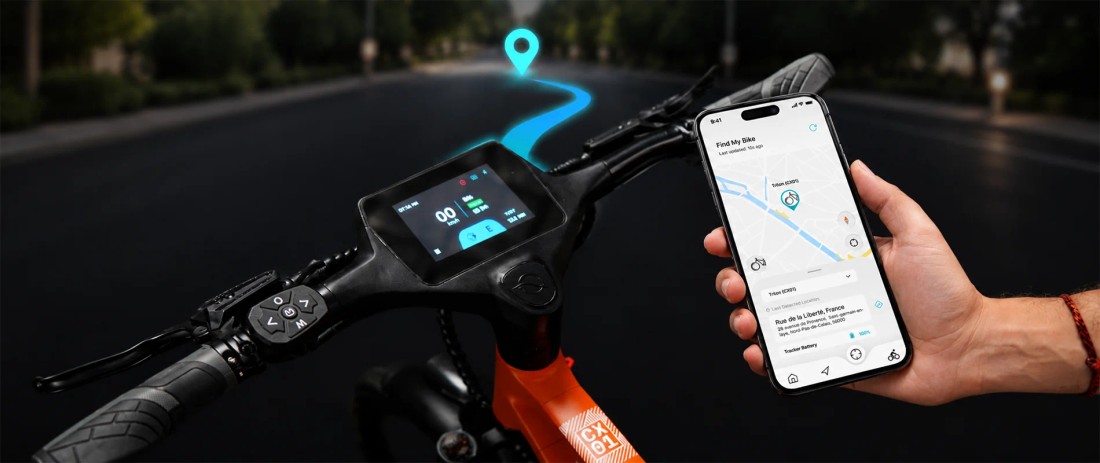
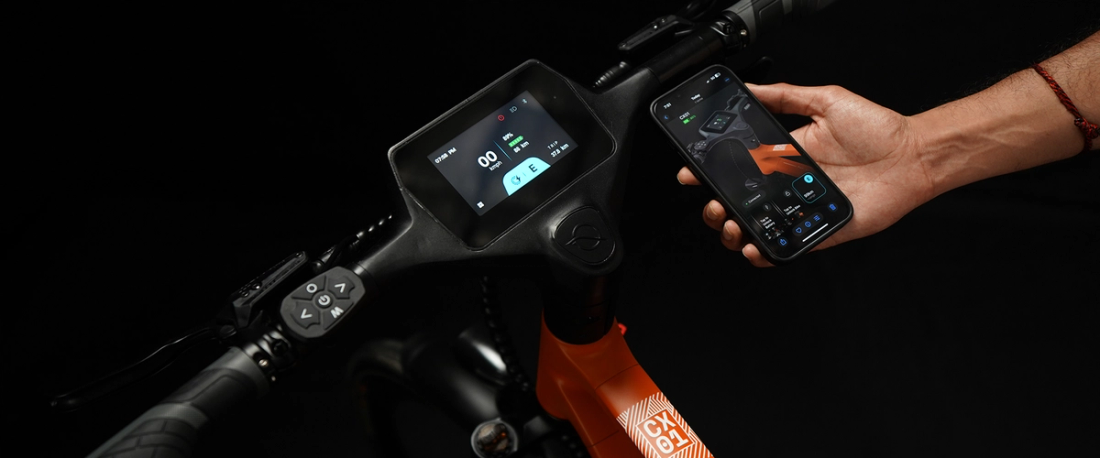
The NINE09 touchscreen display is the heart of the Smart Cockpit on the CX01 and CX02. One glance, total control: a 4.3-inch LCD touchscreen, waterproof to IPX5, integrated into the handlebar and paired with a 5-button multi-function switch. It brings your assist modes, turn-by-turn navigation, call control, turn indicators and system alerts into view, while the NINE09 Connect app adds Find My eBike, Remote Lock/Unlock, Multi-User Access and Remote Battery Unlock.
This NINE09 touchscreen display guide walks through each function in the order you meet it on a real commute: before you ride, while you ride, when something needs attention and after you park. If you want the short version of what makes NINE09 eBikes smart, start with the Top 5 smart features on the NINE09 CX01 and CX02, then come back here for the details.
The NINE09 touchscreen display is a 4.3-inch, IPX5-rated LCD touchscreen fitted to both the NINE09 CX01 Step Over and CX02 Step Through eBikes. It connects to the NINE09 Connect app over Bluetooth Low Energy (BLE) and shows assist modes, turn-by-turn navigation, call notifications and system alerts, controlled by touch or the 5-button handlebar switch.
Key NINE09 Display Features
| Feature | Spec | Why it matters on a commute |
| Screen | 4.3-inch LCD touchscreen | Directions, riding information and alerts in one glance |
| Water protection | IPX5 | Handles water jets and everyday wet-weather rides |
| Controls | Touchscreen plus 5-button multi-function switch | Tap, press or go hands-free |
| Cockpit | 680 mm aluminum handlebar with integrated smart display | The screen sits right where you look, with no phone mount needed |
| Connectivity | Bluetooth Low Energy (BLE) to NINE09 Connect | Links your eBike to navigation, rider profiles and security features |
| Pedal assist modes | Eco, Drive, Sports and Walk | Choose the right level of motor support for every situation |
| Smart features on the display | Navigation Assistance, Call Notification and Control, Dynamic range estimation and system warnings | Keeps the information you need within view on the handlebar |
| App-connected features | Find My eBike, Remote Lock/Unlock, Remote Battery Unlock, Multi-User Access, Ride History, Motion Detection and OTA Updates | Extends security and bike management beyond the ride |
| Fitted to | NINE09 CX01 Step Over eBike and NINE09 CX02 Step Through eBike | One platform, two ways to ride: both use the same display and switch |
Screen layouts and features can be refined through OTA updates, so your owner's manual and the latest version of NINE09 Connect are the references for the exact menus and operation on your eBike.
Before You Ride: Pair the Display with NINE09 Connect
Your display works hand in hand with the NINE09 Connect app on your phone. Pairing links your eBike to navigation, call control, rider profiles, Ride History and security features.
- Download NINE09 Connect for free on the App Store for iPhone or Google Play for Android.
- Create your account and add your NINE09 eBike in the app.
- Switch on Bluetooth, power on your eBike and keep your phone close while you follow the pairing steps.
- Allow location access so navigation and Find My eBike can work.
- Set up your rider profile so your preferences and trip history stay with you.
- Install any app or OTA updates when prompted.
For a step-by-step setup with screenshots of the app side, the NINE09 Connect app owner's guide covers each screen in detail.
While You Ride: What the Display Does
Once you set off, the Smart Cockpit brings key information and controls into view. Set your route and preferences before you start, then keep your eyes on the road.
Pedal Assist Modes: Eco, Drive, Sports and Walk
The display shows which pedal assist mode is active and lets you switch between the four modes on your CX01 or CX02:
- **Eco:**The lightest assistance, for getting the most from every charge. The CX01 and CX02 deliver up to 85km in Eco pedelec mode. Real-world range depends on hills, wind, temperature, rider weight, load, tyre pressure and stop-start traffic.
- **Drive:**Balanced support for everyday city riding.
- **Sports:**Stronger support for hills, headwinds and quick getaways from the lights.
- **Walk:**Gentle motor assistance while you push your eBike up ramps, through underpasses or into bike parking.
In every mode, motor assistance stops at 25 km/h, in line with EU pedelec rules. NINE09 eBikes are CE certified and EN 15194 compliant. For country-by-country details, see our guide to eBike speed limits in Europe. To understand what happens between the pedals and the motor when you switch modes, read how a pedal-assist eBike works.
Turn-by-Turn Navigation on the Handlebar
Plan your route in NINE09 Connect and get clear, turn-by-turn directions right on your eBike. Two-wheel routing, a live ETA and a battery-aware range estimate keep you on track, while your phone stays in your pocket or bag.
Navigation is especially useful on unfamiliar routes and in busy city centres, where a missed turn can mean doubling back through traffic. The full setup and route-planning tips are covered in our guide to using NINE09 navigation for your daily commute.
Call Control
Stay connected without slowing down. When your paired phone rings, the display shows the incoming call, allowing you to answer or reject it directly from your handlebar using the switches, while keeping your focus on the road and prioritizing riding safety.
Use Call Control with care. Keep your eyes on the road, stop somewhere safe before taking a longer call, and check the rules on phone use while cycling in your country or city.
Integrated Turn Indicators
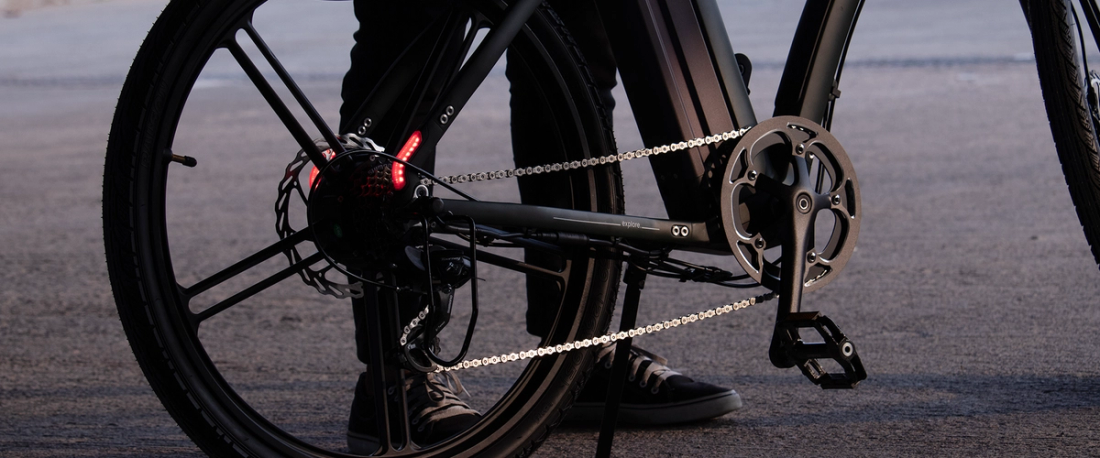
NINE09's integrated rear lights combine tail, brake, turn, warning and charging indication in one unit, with multiple flashing modes seen from up to a mile away. The turn indicators show people behind you which way you're heading, and the Smart Cockpit shows left and right indicator status on the display.
For the exact switch operation on your eBike, refer to the owner's manual and the current display software.
Dynamic Range Estimate and Battery Status
Dynamic range estimation updates as you ride, which makes it more useful for planning a journey than a fixed maximum range figure.
The 374Wh swappable battery pairs a Smart BMS with battery health monitoring and shows battery level and error indication on its body. NINE09 Connect also shows battery status and a battery-aware range estimate. For a deeper look at what affects distance, see how far an electric bike can really go and our electric bike battery guide.
When Something Needs Attention: Error Alerts
The display shows an error notification when the system detects a problem. The battery also has its own error indication on its body, so you can identify a battery-related alert even when the screen is off.
What to do when an error appears:
- Stop in a safe place before reading the alert.
- Note the message or code shown on the screen.
- Check the obvious causes first, such as a battery that may not be fully seated.
- Check the owner's manual for the meaning of the alert and the recommended action.
- If the alert stays on or returns, contact NINE09 and share the message you saw.
An on-screen alert is a starting point for identifying an issue. Do not assume it is safe to keep riding based only on the display message; follow the owner's manual and contact NINE09 when the recommended action is unclear.
When You Park: Lock, Battery Unlock and Find My eBike
Parking is where NINE09 Connect really earns its place. Always secure, always aware:
- **Automatic lock:**The moment you dismount or walk away, your eBike locks automatically.
- **Remote Lock/Unlock:**Lock or unlock the system from the NINE09 Connect app.
- **Remote Battery Unlock:**Release the swappable battery from your phone, with no keys and no hassle, then take it inside to charge. Pull. Charge. Ride.
- **Find My eBike:**Built-in GPS shows your eBike's live location on the map, with a clear path back to it.
- **Motion Detection:**Get an alert the moment your parked eBike is moved.
No single feature prevents every theft, and a good physical lock still matters. Our article on how GPS tracking and anti-theft features protect your eBike explains how prevention, detection and recovery work together.
Tap, Press or Hands-free: How Control Works on the Move
The Smart Cockpit gives you three ways to interact: Tap, Press and Hands-free. Tap the 4.3-inch touchscreen, press the 5-button multi-function switch on the handlebar, or let the display bring information to you. The exact actions available in each mode can depend on the software version and setup, so check the owner's manual for the controls on your eBike.
A practical habit is to set up navigation and preferences before you set off. While riding, keep your eyes on the road and use the controls only when it is safe and permitted. Stop in a safe place for touchscreen tasks that need your attention.
Shared eBike: Multi-User Access and Ride History
Your family eBike, a platform for individual journeys. Multi-User Access lets you share one CX01 or CX02 with family and friends: every rider gets their own profile, ride preferences and trip history, and you choose what each rider can do.
Ride History saves the distance, time and average speed of every ride, so you can spot patterns such as which commute days cover the most distance or use the most battery.
OTA Updates: How the Display Gets Better Over Time
New features and fixes arrive over the air, straight to your eBike, through the NINE09 Connect app. There's no need to treat every software update as a workshop visit.
Unlike a display with no connected update capability, your Smart Cockpit can keep improving after purchase. Keep the app updated and follow the instructions shown when an update is available. Feature availability can depend on the eBike model, software and app version.
Rain, Sun and Care: What IPX5 Means
The display is waterproof to IPX5. Under the IEC 60529 rating system, IPX5 means protection against water jets from any direction. It is not a rating for submersion, and it does not mean the display is designed for high-pressure washing. The swappable battery is rated IPX7.
Care tips that help keep the screen readable:
- Wipe the screen with a soft, slightly damp cloth rather than abrasive cleaners.
- Never point a pressure washer at the cockpit. IPX5 is not designed for high-pressure cleaning.
- Dry the display after riding in heavy rain before storing your eBike.
- Park in the shade when possible on very hot days to reduce direct sun and heat build-up on the screen.
eBike Display Features: Smart Screen vs Basic LCD
If you are comparing eBikes, the display tells you a lot about the ownership experience. The comparison below highlights differences you may find between a connected smart display like the NINE09 touchscreen and a more conventional eBike display. Features vary between brands and models, so use this as a general guide rather than a rule for every eBike.
| Capability | Many conventional eBike displays | NINE09 Smart Cockpit and NINE09 Connect |
| Input | Often physical buttons; varies by model | Touchscreen plus 5-button multi-function switch |
| Assist modes | Usually displayed; number and names vary | Eco, Drive, Sports and Walk |
| Navigation | May rely on a separate phone mount or navigation unit | Turn-by-turn directions on the handlebar, with two-wheel routing and a live ETA |
| Calls | Depends on the display and phone connection | Call Notification and Control: answer or reject from the handlebar |
| Security | Often relies on a separate physical lock or accessory | Automatic lock, Remote Lock/Unlock, Find My eBike and Motion Detection |
| Range | May show battery level or a basic estimate | Dynamic range estimation on the display and a battery-aware estimate in the app |
| Shared use | Depends on the bike's connected features | Multi-User Access with individual rider profiles |
| Software | Update options vary by manufacturer | OTA updates through NINE09 Connect |
| Water rating | Varies by display | IPX5 touchscreen |
When you test any smart screen eBike, check whether the screen is readable in direct sunlight, whether you can operate the main controls safely, what still works if your phone battery dies, and whether the brand provides software updates. For a wider checklist, see the eBike buying guide: 8 things to check before you buy.
CX01 or CX02: Is the Display Different?
No. One platform, two ways to ride. The NINE09 CX01 and CX02 share the same 4.3-inch IPX5 touchscreen, the same 5-button switch and the same smart features. The only difference is how you ride:
- NINE09 CX01 Step Over eBike: Classic step-over geometry for riders who like a traditional bike feel, built for the smartest commute of your life.
- NINE09 CX02 Step Through eBike: A low, open frame for easy on and off, helpful in stop-start traffic or in everyday work clothes.
If frame style is your main question, our guide to step-through vs step-over eBikes breaks down the trade-offs.
One Screen, Every Commute
A good eBike display should make the ride simpler, not busier. The NINE09 Smart Cockpit brings your assist modes, directions, call control and system alerts into one glance, while NINE09 Connect handles Find My eBike, Remote Lock/Unlock, Multi-User Access and Remote Battery Unlock. Pair the app before your first ride, learn the handlebar controls and keep your eyes on the road.
**Experience the NINE09 Smart Cockpit.**Explore the NINE09 CX01 Step Over eBike and NINE09 CX02 Step Through eBike to discover the 4.3-inch touchscreen and connected features for yourself. Pre book yours today, or use our Contact Us page to book a test ride at your nearest dealer or showroom. Ride the wave.
FAQs
What size is the NINE09 touchscreen display?
The NINE09 touchscreen display is a 4.3-inch LCD touchscreen. It is fitted to both the NINE09 CX01 Step Over and CX02 Step Through eBikes, integrated into a 680 mm aluminium handlebar and paired with a 5-button multi-function switch.
Is the NINE09 display waterproof?
Yes, for everyday riding. The 4.3-inch touchscreen is waterproof to IPX5, which means protection against water jets from any direction under the IEC 60529 standard. It is built for wet-weather rides but is not designed for submersion or pressure washing. The swappable battery is rated IPX7.
Do I need the NINE09 Connect app to use the display?
The NINE09 Connect app links your phone to your eBike over Bluetooth Low Energy (BLE) and unlocks the connected features: navigation, call control, Multi-User Access, Ride History, Find My eBike, Remote Lock/Unlock, Remote Battery Unlock, Motion Detection and OTA updates. NINE09 Connect is free on the App Store for iPhone and on Google Play for Android.
Can I answer phone calls on the NINE09 eBike display?
Yes. With your phone paired, the display shows incoming calls and lets you answer or reject them right from your handlebar. Use Call Control only when it is safe and lawful to do so, stop for longer conversations and check local rules on phone use while cycling.
Does the NINE09 display show navigation?
Yes. Plan your route in the NINE09 Connect app and the display shows clear, turn-by-turn directions on the handlebar, with two-wheel routing, a live ETA and a battery-aware range estimate. Navigation Assistance comes as standard on both the NINE09 CX01 and CX02.
Is the display different on the CX01 and CX02?
No. Both models share the same 4.3-inch IPX5 touchscreen and 5-button multi-function switch. One platform, two ways to ride: the CX01 is a Step Over eBike and the CX02 is a Step Through eBike.
What is the range of the NINE09 CX01 and CX02?
The NINE09 CX01 and CX02 deliver up to 99 km in Eco pedelec mode. Real-world range varies with rider weight, terrain, weather, assist mode, load and riding conditions, so use the dynamic range estimate on the display as your day-to-day guide.
Can the NINE09 display get new features after purchase?
Yes. New features and fixes arrive over the air, straight to your eBike, through the NINE09 Connect app. Keep the app updated and follow the on-screen instructions when an OTA update is available.